Merchant Dashboard
Context & Task
The Merchant Dashboard at Yandex Market is used by sellers to track sales and monitor their store's health. During the front-end transition to React, we had a chance to rework the dashboard experience. The goal wasn't just a visual update; we needed to fix UX issues where critical errors were easy to miss. We focused on making these states more prominent so merchants could quickly understand what went wrong and how to fix it.
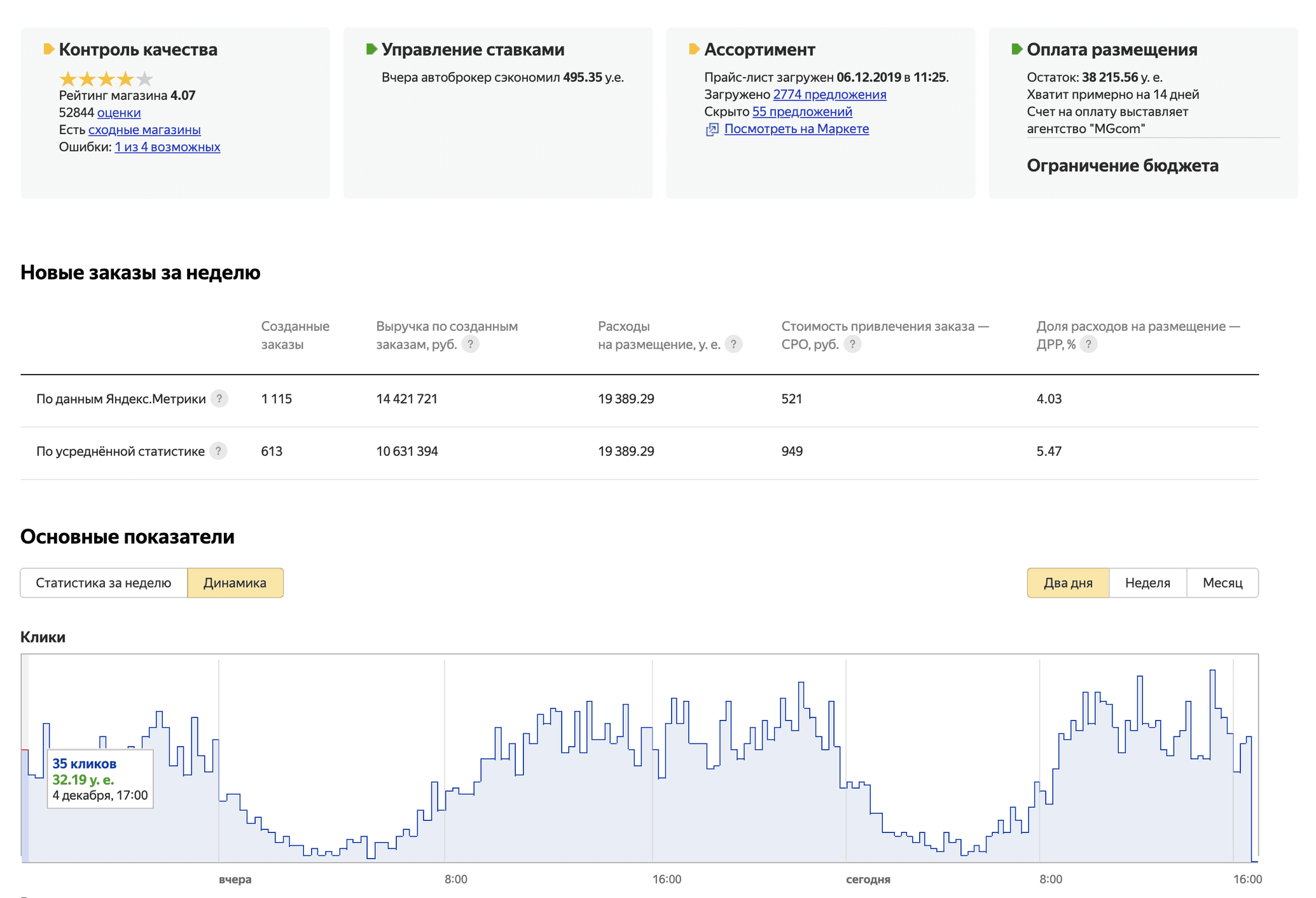
The Merchant Dashboard before redesign
Approach
With a tight two-week deadline and no changes to the back-end, we skipped broad user research. Instead, we analyzed common support tickets. The most frequent question was: “Why is my product listing off?” To solve this, we thoroughly documented and mapped all the underlying logic and system processes behind these dashboard blocks. By identifying every potential failure point (from technical indexing issues to quality control blocks) I was able to redesign these states to be more descriptive, providing merchants with clear instructions on how to fix each specific problem.

The Merchant Dashboard before redesign
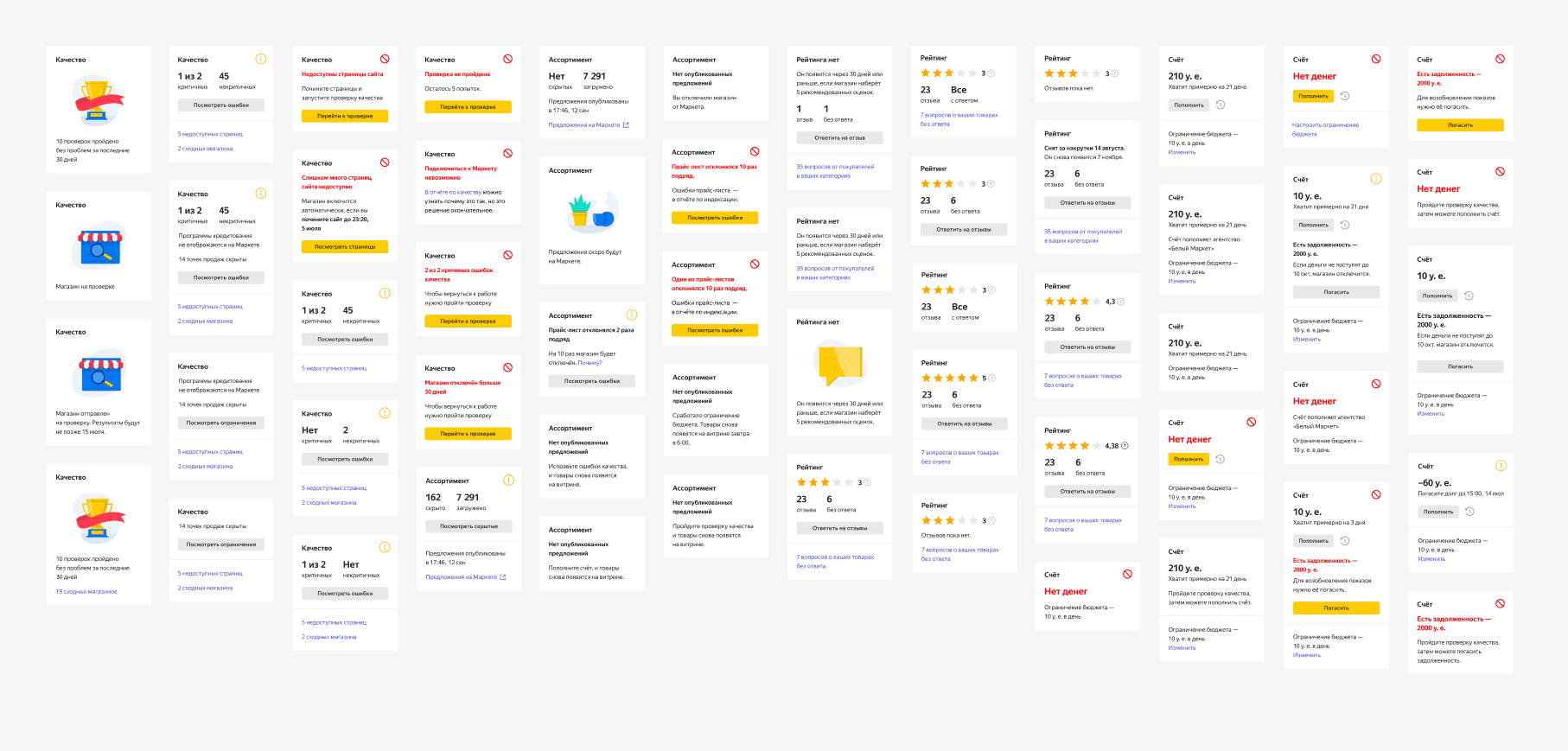
50+ different states overall
Visual Language
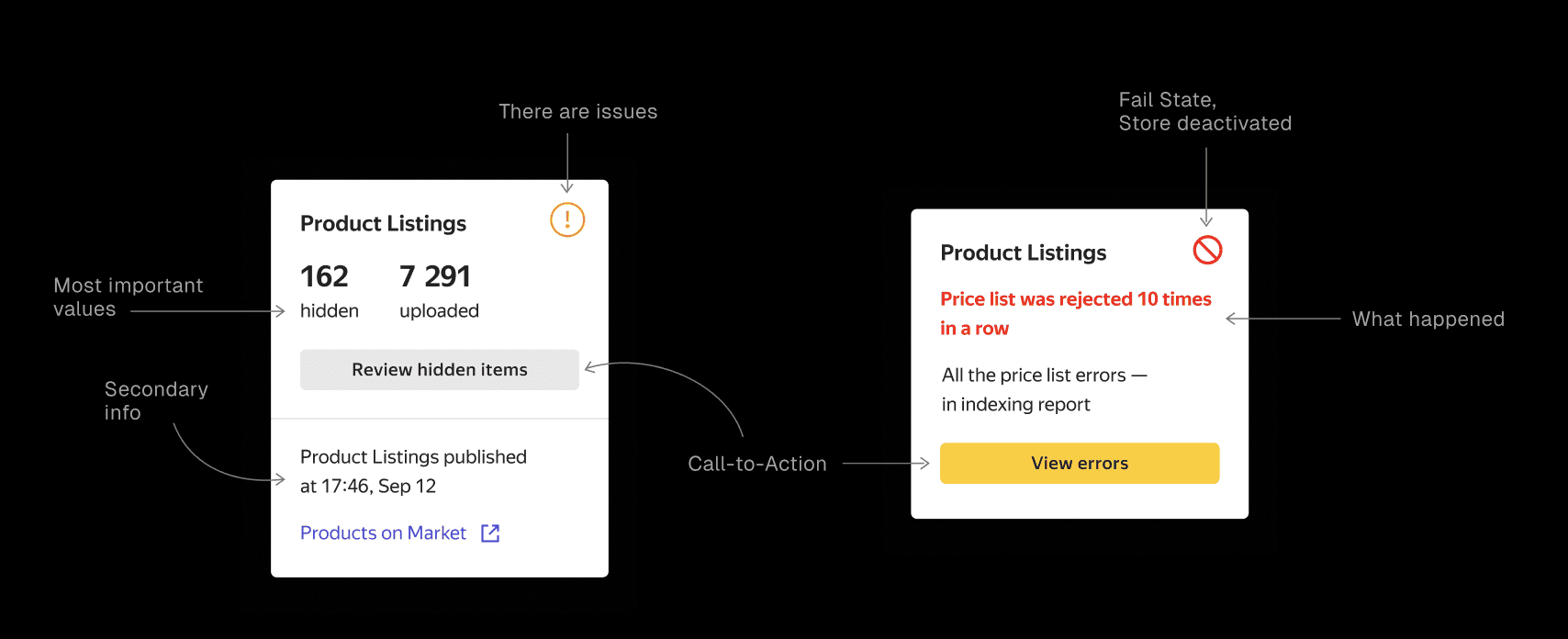
I've developed visual language, where Icons represent the severity of the system state, from "operational" to "fail-state." Call-to-action buttons are mapped to specific support reports, bypassing deep menu navigation. Replaced generic "Error" messages with clear explanations of what happened and when.
Results
✦ Merchants started resolving critical issues about 2x faster (saving roughly 52 hours per incident).
✦ Reduced the number of basic "Why?" questions sent to support.
✦ Merchants became more involved to UGC and more active in responding to customer reviews.
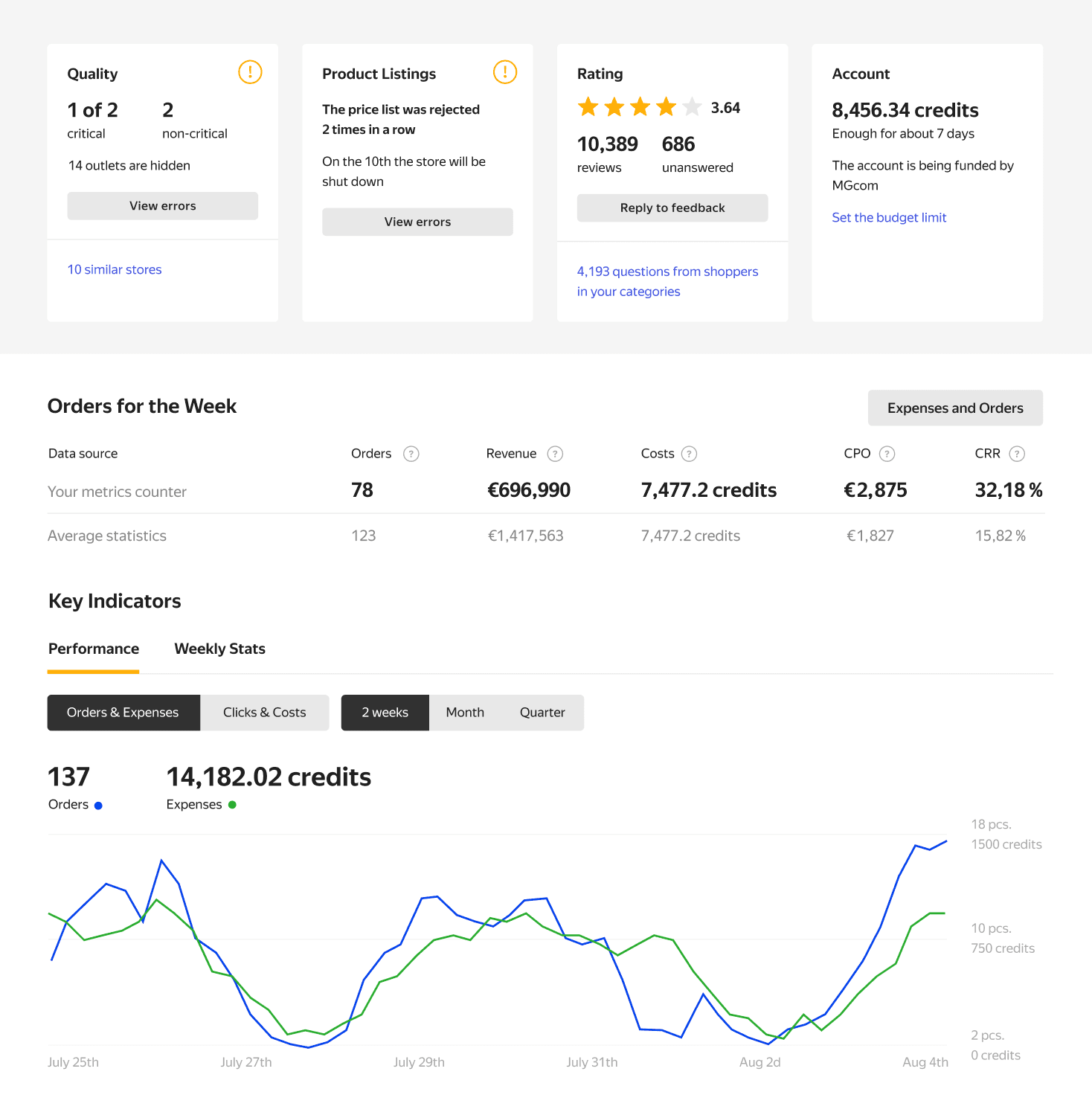
The Merchant Dashboard after redesign